
So you want to mass delete hundreds or thousands of Discord messages at once? Manual deletion is tedious, but with Redact you can batch-remove messages across servers and DMs safely, using filters and preview modes to avoid mistakes.
What’s in this guide
- Install Redact & connect to Discord
- Choose filters via Easy or Advanced form
- Set up deletion filters
- Preview matches, then delete or schedule
- Optional: Import data for large accounts
- Troubleshooting, tips, and FAQ
Let’s get started.
Step 1: Download Redact for Discord
Go to redact.dev and install the app for your device. You can do this for free. We recommend the Desktop version of our app, but you can use any device you want.
Step 2: Create your free account and sign in
Open Redact, create a free account, or sign in if you already have one.
Redact is password-less, meaning once you enter your email and set up an account, you’ll only be able to access it via secure login codes sent to your email.
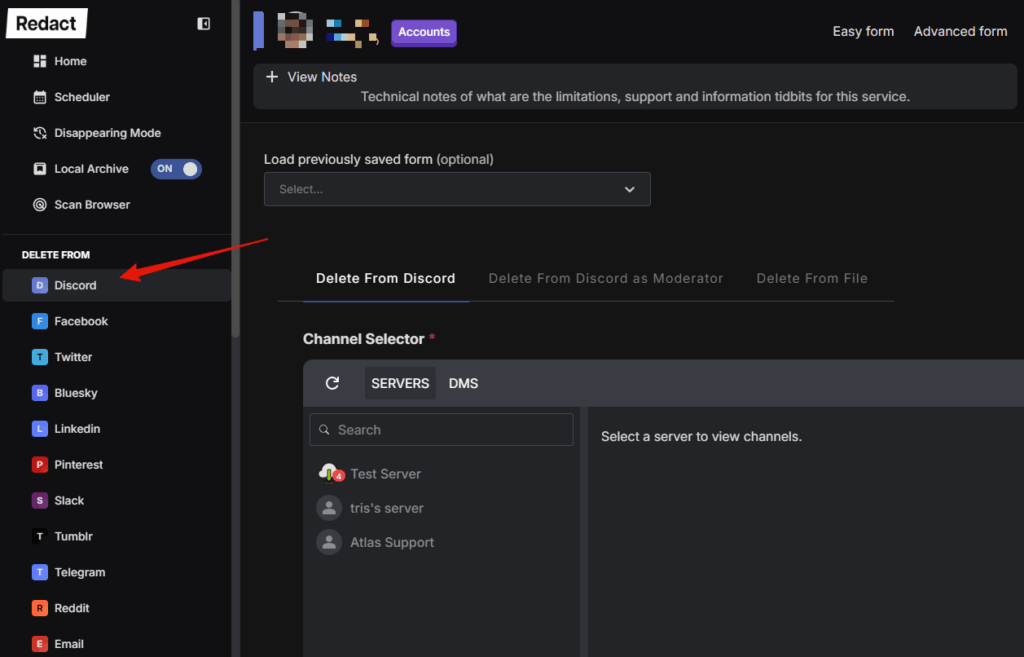
Step 3: Choose Discord from the left sidebar and connect your Discord account to Redact.
In the service list, select Discord. Follow the prompts to log in to Discord so Redact can find your content and perform deletions on your behalf. Redact operates 100% locally, and doesn’t store any of your account data on our servers. You can learn everything about how we handle your privacy and data here.
Step 4: Pick Discord’s Easy or Advanced Form
After selecting Discord for bulk deletion, you’ll see a configuration form. You can toggle between Easy and Advanced mode in the top right of the screen.
- Easy form keeps it to the essentials for a quick Discord message cleanup.
- Advanced form adds precise deletion filters so you can mass delete Discord messages based on specific keywords, content types, or other properties.

Step 5: Configure where to delete from
Once you select Discord and connect your account, you’ll need to determine where to delete from. Using the selector, you can choose to bulk delete server messages, direct messages, or servers you moderate. Afterwards, you’ll need to select the date range you want to delete.
If you want to bulk delete all Discord messages, just leave the dates on All Time until Now.

A quick note on pricing. Deleting your last 30 days of Discord content is free. Upgrade to premium to delete all of your Discord history, plus your posts and messages on every other supported site.
Easy Form options
The easy form has a handful of helpful settings to ensure your deletion targets what you want to delete from Discord in bulk.
Location Targeting Options
- Servers – for messages posted in server channels
- DMs – for messages sent in direct messages
- Mod Servers – if you are a moderator and want to use your mod server access in conjunction with Redact’s deletion tools
Date Range Options
- Before a date
- After a date
- Between two dates
Advanced Form options
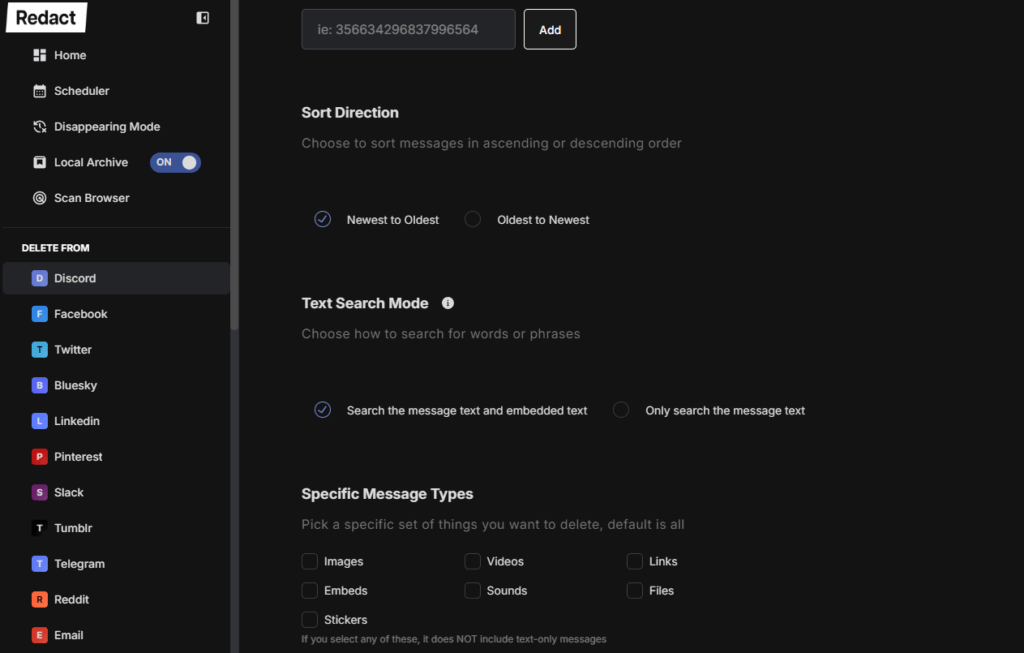
The advanced form has even more mass deletion filters for Discord, so you can bulk delete messages from servers and DMs with precise controls over what gets removed.
Search Filters
- Date Range
- Keywords & Phrases
- Usernames
- Content Types
- Images
- Videos
- Stickers
- Files
- Embeds
- Links
- Sounds
Step 6: Choose a deletion mode for Discord
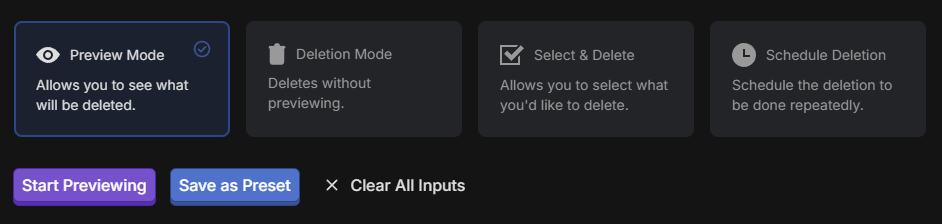
Redact gives you four deletion modes, depending on what you’re trying to do and how specific you want to be with your bulk deletion.
- Preview Mode – Runs a test and shows exactly what matches your filters without deleting anything
- Deletion Mode – Starts removing everything that matches your filters immediately
- Select and Delete – Lets you review results and check only the items you want to remove
- Schedule Deletion – Saves your filters and runs cleanups on a schedule such as daily or monthly
Step 7: Run and verify
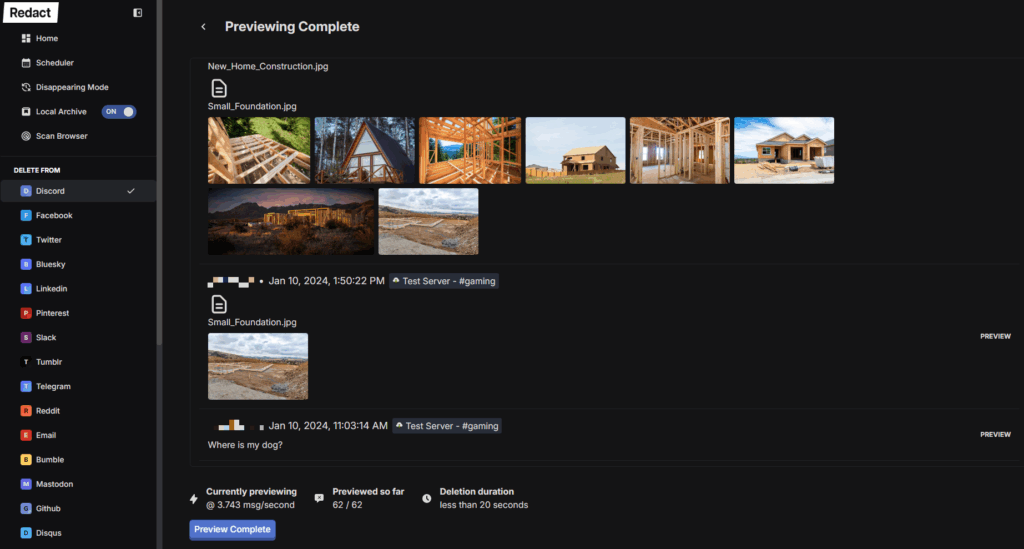
Click Preview Mode and Start to confirm the results. If everything looks right, switch to Deletion Mode or use Select and Delete for manual picks. Keep the app open while the job runs. You’ll see progress as items are removed.
Optional: Import data for very large histories
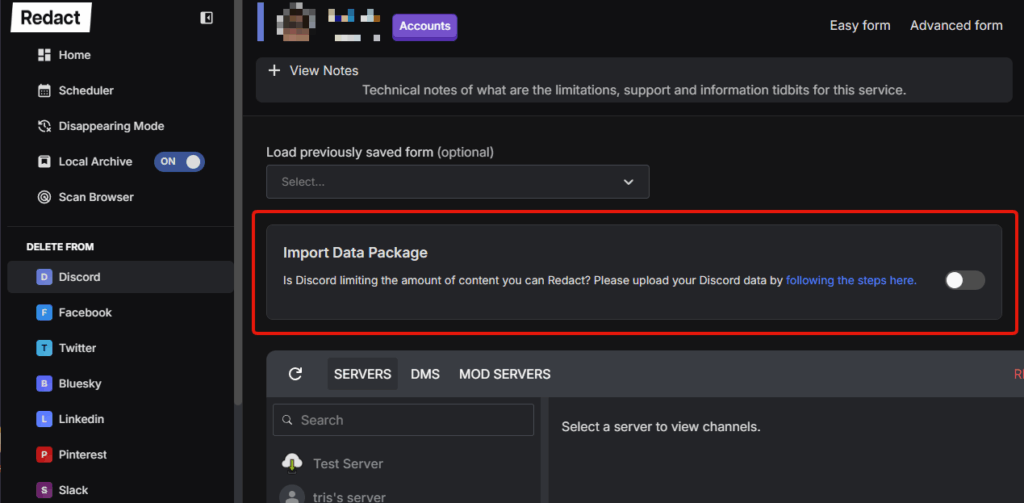
If you have a huge account history or run into rate limits, use Data Import inside Redact to improve coverage and speed on large jobs.
Tips and troubleshooting
- Too many matches
Narrow the date range, add keywords, or target a single server or DM thread - Missing messages on very large accounts
Run smaller date slices or use Data Import - Not sure what a filter will catch
Use Preview Mode until you’re confident - Want a record before deleting
Export your Discord data first, then proceed
Get started
To start deleting Discord content in bulk, simply download Redact, open it, and create an account. Connect Discord, set your filters, and run Preview Mode to validate your results before proceeding with full deletion.