Your Discord history doesn’t have to pile up forever. With Redact’s Disappearing Mode for Discord, you can automatically delete your messages, replies, reactions, and more after a set amount of time, and never think about it again.
Apps like Telegram, Snapchat, and Signal made disappearing messages popular. Now Redact brings that same power to your Discord servers and private DMs. Old conversations clean themselves up, and the clutter never builds back.
If you’re looking for a simple way to auto-delete Discord messages, remove old chats, or automatically clear reactions and posts, Disappearing Mode is built for exactly that.
What is Disappearing Mode?
Disappearing Mode is an automatic deletion system that lets you set rules for how long your Discord content stays visible before being automatically removed. You choose exactly what types of content get deleted, where they get deleted from, and how long they stay online.
Here’s what Disappearing Mode can do on Discord.
Auto-delete messages in specific servers, channels, or direct messages
Remove reactions, attachments, and replies
Customize deletion by server, channel, or conversation
Protect your privacy by consistently clearing old messages
How to Set Up Disappearing Mode
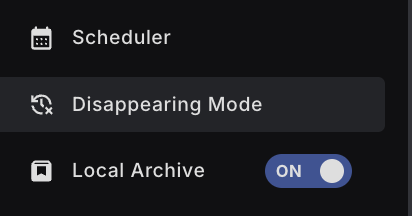
First, download Redact if you haven’t already. After creating and logging into your account, head to the Disappearing Mode section using the menu on the left. A Premium subscription unlocks Disappearing Mode for full Discord control.
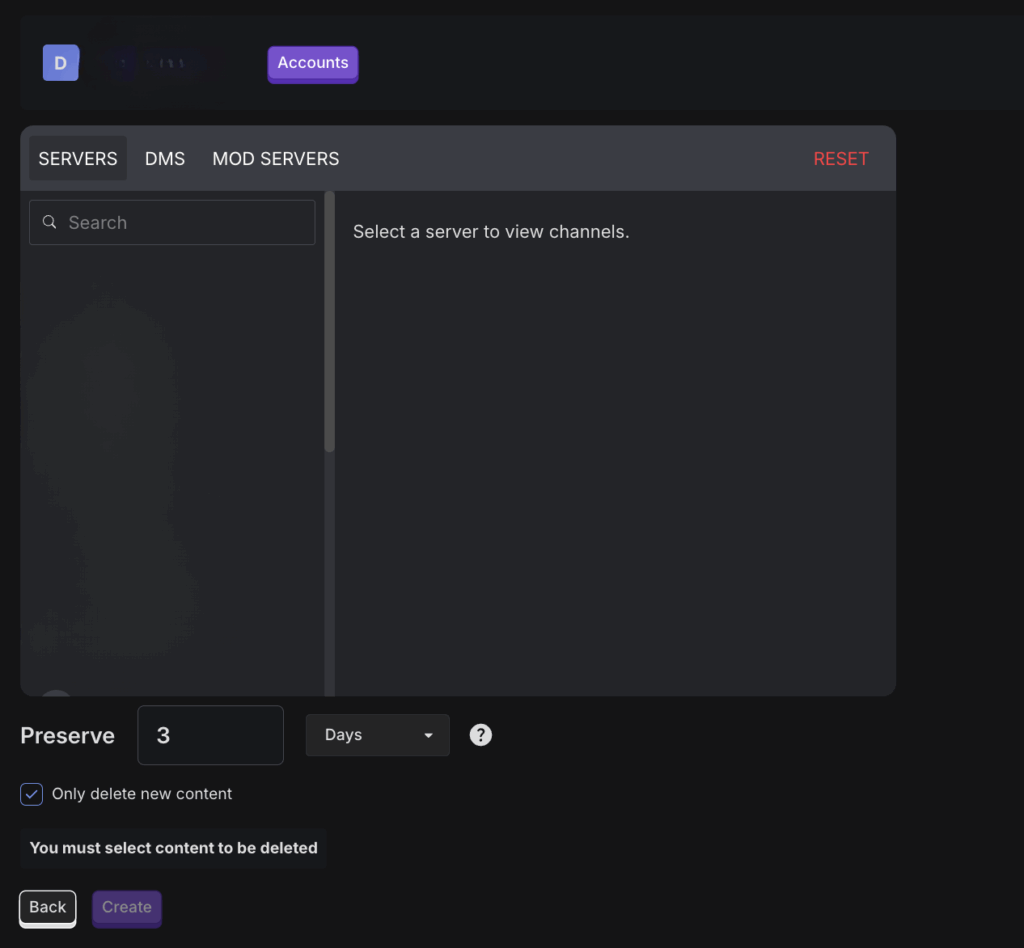
Select Discord as the service you want to configure.
Once you’ve selected your content types, define your preservation window, the time period your messages stay visible before they’re deleted. You can set the window to hours, days, or weeks depending on how quickly you want your messages to disappear. The minimum preservation window is 24 hours.
A couple of extra options are worth knowing about.
Preserve all current Discord content and only auto-delete new messages moving forward
Enable hourly scans to catch and delete new messages faster
After confirming your settings, Redact will automatically monitor and delete your Discord messages and interactions according to your rules.
Better privacy. Old conversations won’t linger forever, which shrinks the risk of leaks or unwanted rediscovery.
Tidier servers and DMs. Clutter never accumulates in the first place.
Less liability. Jokes, opinions, or sensitive conversations won’t come back to haunt you years later.
Rules that fit each space. Tailor your cleanup rules to match each server or DM you participate in.
Auto-deletion doesn’t erase your voice. It just puts an expiration date on how long your old messages hang around.
Ready to start? Download Redact at redact.dev and set up auto-deletion for Discord today. Want to auto-delete posts on other social sites too, like Twitter, Bluesky, Reddit, and Facebook? Check out this tutorial.
Automatically Delete Discord Messages FAQ
Discord doesn’t provide a built-in auto delete for all of your past messages. You can delete messages one by one. Automation requires a helper tool or bot that you control.
Direct messages with users, messages in servers and channels, replies, threads, attachments, embeds, and reactions you added.
Open Redact and choose Discord. Sign in, select Servers and DMs, pick target channels, then set filters. Run a Preview first. When you’re ready, enable Deletion or a schedule.
Filter by date ranges, servers, channels, keywords, and content types like attachments and links. Redact only acts on your own content, so nothing from other people gets touched.
Use Preview to list matches with no changes, Deletion to remove all matches, Select and Delete to approve items, and Schedule Deletion to run on a repeat cadence.
Yes. Target specific servers, categories, channels, or DMs. Save different rule sets for work servers and personal servers if you need separate policies.
No. Redact runs on your device and uses the minimum access required to execute your actions. You can disconnect Discord from Redact at any time.
Deleting your message removes the message and Discord-hosted attachments tied to it. Files copied elsewhere or links to external hosts can remain outside Discord.
Redact batches actions and spaces requests to respect rate limits. For long histories, run date slices or schedule several passes for stability and full coverage.
Yes. Save your filters and enable a schedule such as daily or weekly. Redact will run the same rules and remove matches as they accumulate.
Yes. Redact only acts on content your account posted, so messages from other people in the channel are never touched. The one exception is Mod Servers, where moderators can clean up other members’ messages in servers they run.
No. Deleting messages doesn’t change roles, bans, or server settings. Those are managed by server admins.
You can start for free with recent history on supported services. Upgrade to Premium to process all-time data and to unlock advanced filters and scheduling.
Export or save important threads, run a small Preview, set preservation rules for anything that must stay, approve a short Select and Delete batch, then expand your ranges after you confirm results.
You can download Redact for free and start with recent history. Redact uses passwordless sign in with secure email codes. You can disconnect at any time and upgrade later for all-time cleanups and schedules.